Privacy First Guide To Enjoying Adult Games Safely On iOS
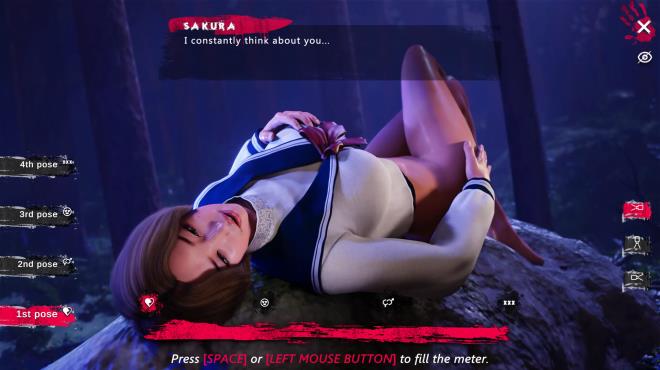
The world of mobile gaming has grown exponentially, and for those looking to explore adult games, iOS devices offer a seamless platform. However, privacy and security are paramount when engaging with NSFW content. Whether you’re downloading adult-themed games directly from the App Store or accessing them through web-based platforms, knowing how to protect your data is crucial.
This blog presents a Privacy-First Guide to safely enjoying adult games on iOS, with an emphasis on making smart choices when selecting and downloading games, securing your device, and ensuring discretion while playing.
Why Privacy Matters When Playing Adult Games on iOS
Unlike typical gaming apps, adult games often feature explicit themes that require discretion and privacy. Engaging with NSFW content on a mobile platform can expose your personal information, browsing activities, or payment details if proper precautions aren’t taken.
Here’s what you should keep in mind:
- Preventing Data Leaks: Games often ask for permissions to access sensitive data such as contacts, location, or storage.
- Avoiding Embarrassing Discoveries: Without precautions, others who access your device might find NSFW games preserved in app libraries or browsing history.
- Stopping Malware Risks: Some unofficial apps or external download sites may contain malicious software that compromises device security.
By following the steps outlined below, you’ll enjoy adult games on iOS with confidence.
Privacy-First Tips for Adult Gaming on iOS
1. Choose Trusted Apps
Not all adult games available for iOS are legitimate, and downloading unverified apps can put your privacy at risk. Stick to reputable sources.
Ways to Identify Trusted Apps:
- Stick to the App Store: For maximum security, download games through Apple’s App Store only. Apps here undergo rigorous screening for quality and malware. Although explicit content is limited, more subtle or suggestive adult games could be available legally.
- Research Developer Authenticity: Check the developer’s credentials. Reputable developers should have other verified products or a professional website.
- Read Reviews: Scan reviews and rating trends to check performance and security warnings.
If you’re considering downloading an adult game from an external platform (such as Nutaku), ensure it has strong reviews and community backing for iOS compatibility.
2. Use a VPN for Anonymous Browsing
Accessing adult games through online portals or external downloads can expose your browsing activity. Using a Virtual Private Network (VPN) for iOS helps maintain anonymity by masking your IP address and encrypting your internet activity.
Benefits of a VPN:
- Privacy Protection: Keep your browsing habits hidden from prying eyes, including your internet service provider (ISP).
- Global Access: Some adult games may be geo-restricted. A VPN opens access by letting you connect to servers in other countries.
- Enhanced Security: A VPN keeps your device safe when accessing adult game platforms that aren’t part of the App Store.
Popular VPNs for iOS include NordVPN, ExpressVPN, and Surfshark. Always choose a VPN that emphasizes no-logging policies to ensure your activity stays private.
3. Avoid Unofficial Downloads and Sideloading
While it may be tempting to sideload apps (install apps without using the App Store), doing so could compromise your iOS device. Third-party apps and files can contain malware, adware, or spyware that can invade your privacy.
Better Alternatives:
- Web-Based Adult Games: Platforms like Nutaku or F95Zone often offer browser-based adult games that don’t require installation.
- Verified Sources: Apps in the App Store designed for adults—such as dating simulators—fit within Apple’s strict guidelines, making them safer.
Remember, jailbreaking your iPhone to sideload adult apps voids Apple’s security protections, leaving your data and files vulnerable.
4. Maximize iOS Privacy Settings
Apple is known for its focus on privacy, and several built-in features allow you to control permissions, tracking, and data sharing. Modify your settings to keep your activity discreet.
Security Settings to Enable:
- Limit App Permissions:
- Go to Settings > Privacy, and review app permissions. Ensure adult games do not access your contacts, location, or camera.
- Disable unnecessary permissions for outside apps to minimize data leakage.
- Disable App Tracking:
- Navigate to Settings > Privacy > Tracking, and ensure “Allow Apps to Request to Track” is off.
- Use Private Browsing:
- If playing web-based adult games, use Safari’s Private Mode to avoid saving browsing history.
5. Install an Ad Blocker
Some online adult games rely on heavy ads, which may not only disrupt gameplay but also track your activity across the web. Installing an iOS-compatible ad blocker can eliminate unwanted interruptions while enhancing privacy.
Recommended Ad Blockers:
- AdGuard: Blocks intrusive ads and trackers that compromise your security.
- Firefox Focus: A secure browser that prioritizes blocking ads and trackers while maintaining your anonymity.
6. Understand In-App Purchases
Many adult games—especially premium ones—rely on in-app purchases for additional features, rewards, or content. Discretion is key when making transactions in games tied to adult themes.
Smart Practices:
- Use Temporary Payment Methods:
- Consider using prepaid cards or virtual wallets (like PayPal) to make payments without linking directly to your primary bank account.
- Verify Payment Screens:
- On external platforms, confirm the payment page URL is secure (
https://) before entering your details.
- On external platforms, confirm the payment page URL is secure (
- Avoid Subscriptions:
- Subscription-based adult games can accidentally recur on your billing statement, drawing unwanted attention. Stick to one-time payments.
7. Manage App Visibility
Adult games can sometimes remain visible in your app library or browsing history, which may lead to privacy concerns if someone else accesses your iPhone.
Ways to Maintain Discretion:
- Hide Apps with Screen Time:
- Go to Settings > Screen Time > Content & Privacy Restrictions > Allowed Apps. Here, you can restrict visibility for specific apps.
- Use Hidden Folders:
- Create a folder on your home screen specifically for adult apps, then move it to an inconspicuous location.
- Delete After Use:
- If the game doesn’t save offline progress, consider deleting it post-play and reinstalling it when needed.
Where to Find Adult Games for iOS
Despite Apple’s strict guidelines, legal adult games can be found on or outside the App Store. Look for platforms that offer safe downloads and web-based options:
- Apple App Store:
- While explicit adult games may not make it past Apple’s policies, suggestive dating simulators, visual novels, or creative story apps are available.
- Nutaku:
- As one of the most popular NSFW gaming platforms, Nutaku provides browser games that are accessible via Safari.
- F95Zone:
- While primarily known for desktop games, F95Zone occasionally hosts threads highlighting mobile-compatible NSFW titles.
- Itch.io:
- This indie gaming platform features unique adult games, some of which may be accessible on mobile browsers.
Final Thoughts
While playing adult games on iOS, prioritizing privacy and security is essential for a fun and safe experience. Whether optimizing device settings, using a VPN, or engaging with trusted platforms, these steps ensure that your personal information and activity remain secure.
With a little caution, you can enjoy adult-themed games that combine casual gameplay, engaging narratives, and NSFW rewards—all without compromising your privacy.
Do you have favorite adult games or privacy tips for iOS? Share your experience in the comments below!
